// Deployr Ops
The system behind the paperwork
Deployr Ops takes in the documents a job produces and carries them through to billing and payment. We run our own dispatch on it.
What it covers
Start with one module
The modules share records. Most companies start with the workflow that costs the most hours.
01 Documents and intake
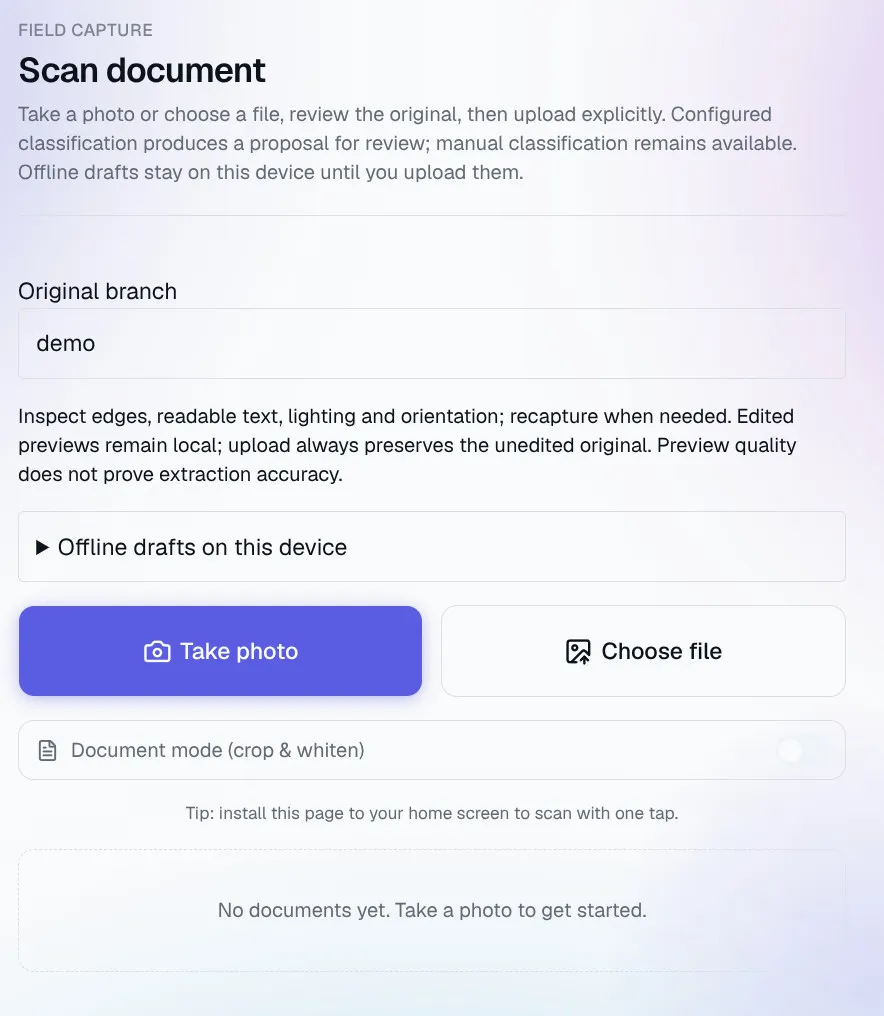
Email, upload or a phone photo. The original is kept, and every extracted field links back to its page.
02 Matching and review
Tickets and PODs are matched to their job. Mismatches and duplicates go to a queue with an owner.
03 Billing
Approved rates turn matched work into billing packages. A second person approves each one.
04 Payables
Supplier invoices get a coding suggestion, a duplicate check and one or two approvals.
05 Dispatch and fleet
Each open job gets a proposed driver and equipment for a dispatcher to confirm.
06 Maintenance
A defect becomes a work order, a hold on the unit, a repair and a reinspection.
07 Labour dispatch
The part we use every day. Requests become quotes and jobs, workers are invited by text, shifts become invoices.
08 Insights and assistants
Throughput, cycle times and what is waiting on whom. Assistants draft follow-ups for a person to confirm.
What it looks like
One view of what is moving and what is stuck
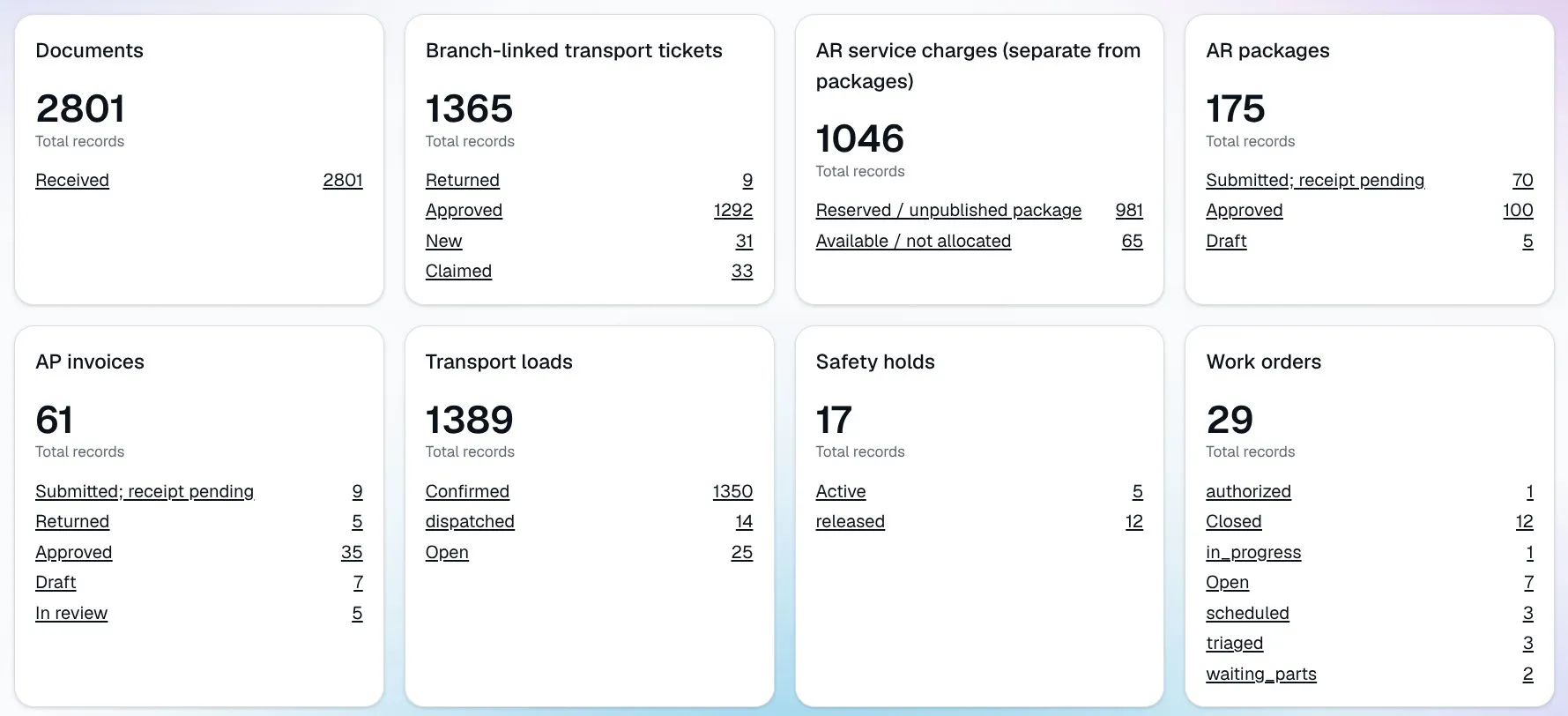
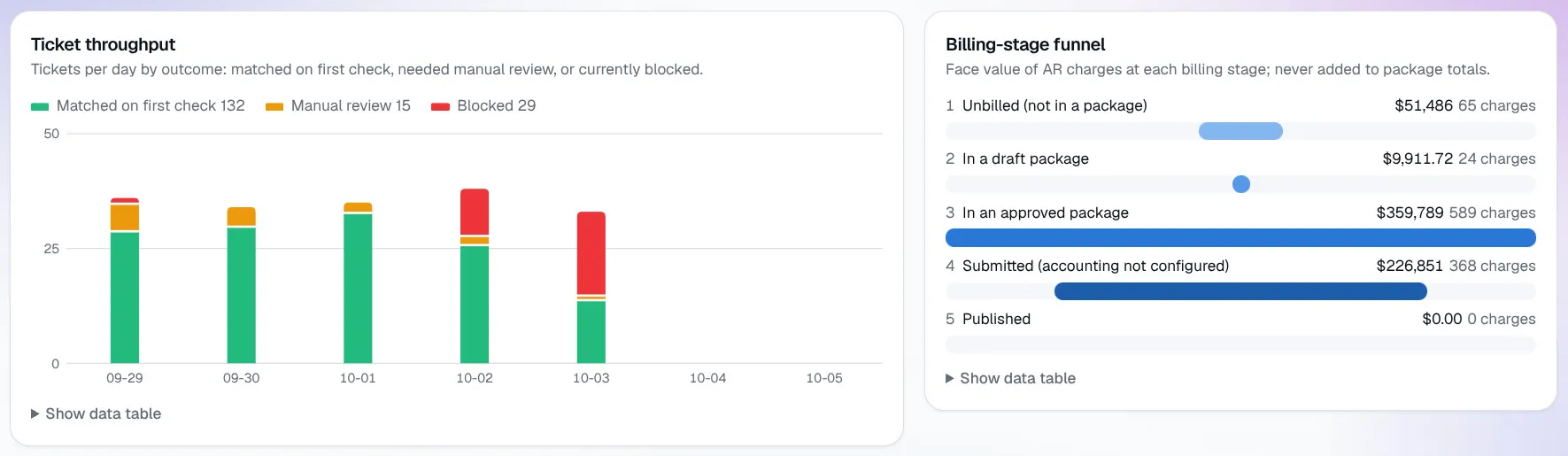
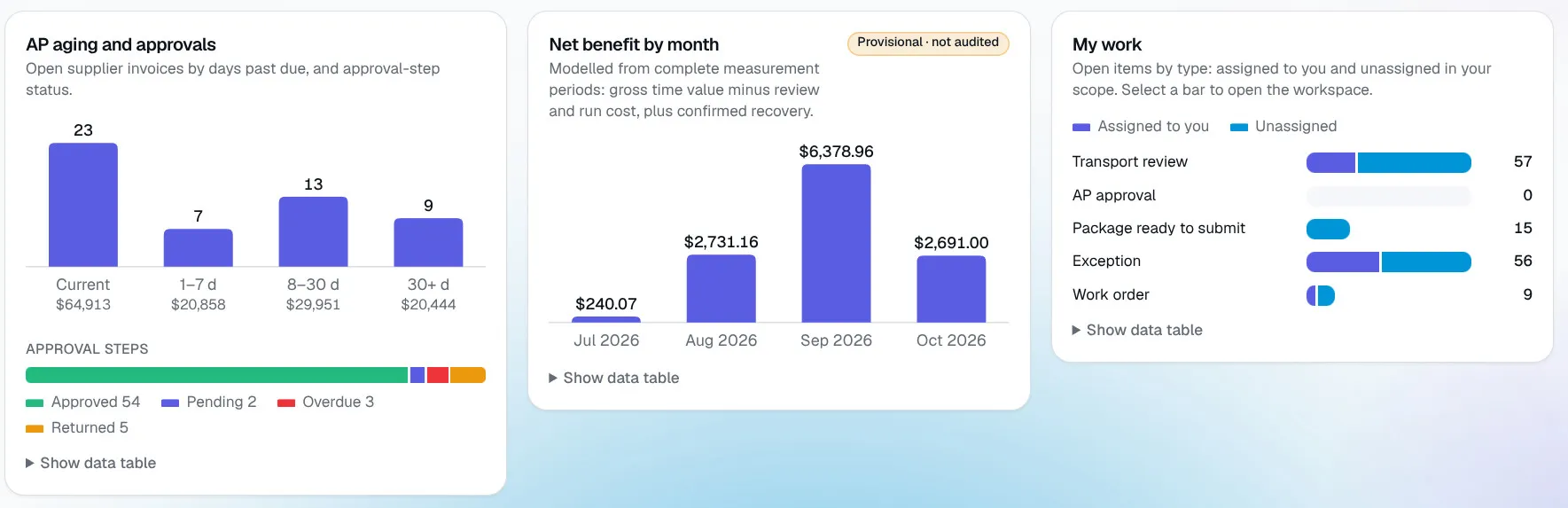
How it is built
Software you can audit
A person stays responsible for every money and safety decision, and you can see how each number was reached.
-
People approve
Billing, paying or releasing a unit needs a named person. Nobody approves their own work.
-
Originals are kept
Scans and photos are never edited. Corrections sit beside them.
-
Every action is logged
Who did what, when, and from which document.
-
One installation per company
Your database, documents and accounts. Nothing is shared.
-
It connects to what you run
Your existing systems stay. The engineer builds the connections.
Next step
See it on your own documents
Send a few sample tickets or invoices and we will show you how Deployr Ops handles them.